A WordPress stack is more than the PHP version
The layers to record when a site is slow or fragile: web server, PHP workers, database, object cache, storage and edge.
A WordPress stack is more than the PHP version begins with a practical question: how can a reader inspect WordPress layers and bottlenecks without confusing a provider promise with a field observation?
Method for this question
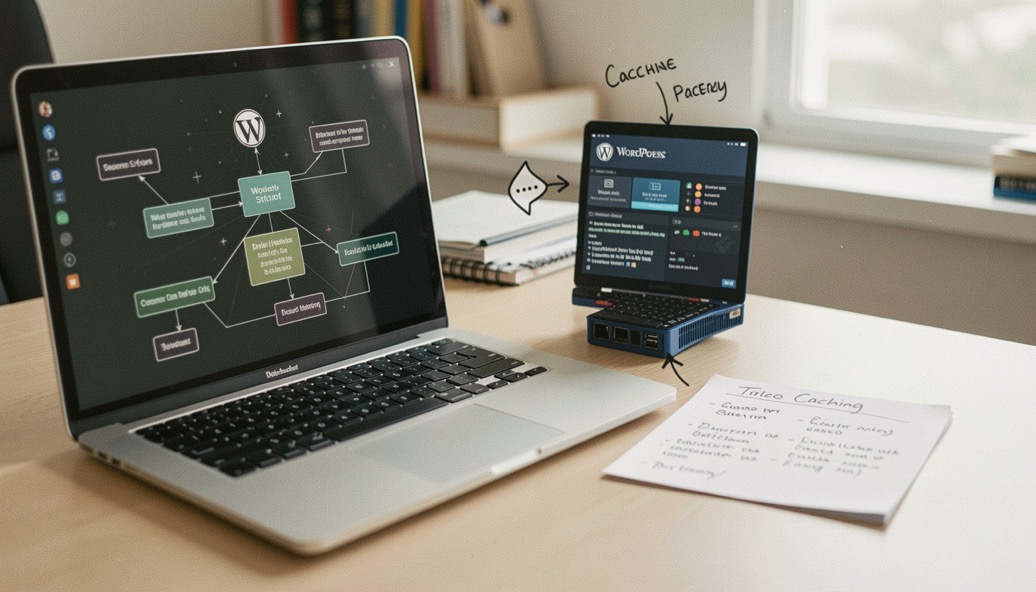
Draw the WordPress stack from browser to origin: DNS, CDN, web server, TLS, PHP workers, WordPress core, plugins, database, object cache, media storage and outbound services. Record the runtime version, worker limits, database engine, persistent object cache, page-cache rules, cron mode and backup destination. Start with a representative URL and an authenticated path because the cache behavior differs. The goal is to identify where work happens, who owns that layer and what evidence would distinguish a host limit from application code.
What to record
- PHP version and worker pool
- database and object cache
- media storage and backup path
- plugin update and rollback practice
Use a slow request as a trace rather than immediately installing another cache plugin. Compare server timing, response headers, PHP error logs, database slow queries, external HTTP calls and memory or worker saturation. Disable only one suspect in a staging copy and repeat the same request. Check whether an image transformation, search query, scheduled task or third-party API causes the spike. A host dashboard may show normal average CPU while a short PHP worker queue causes visible timeouts, so preserve peak behavior and timestamps.
Keep the observation, the interpretation and the recommendation in separate sentences.
A realistic failure pattern
A publisher’s homepage is fast for anonymous readers but the editor dashboard and search page time out. The CDN is serving the homepage from cache, while logged-in requests execute a plugin query and call an external search service. The correct sequence is to measure the uncached path, inspect PHP and database timing, reproduce on staging and then change the query or plugin configuration. A larger plan may help if workers are exhausted, but it will not fix a query that scans a growing table on every request.
Errors and boundaries
The WordPress label says little about isolation, storage, backups or support. A higher PHP version can expose deprecated plugin code, and a cache can hide a failure until a user logs in. Do not edit production plugins while diagnosing unless the change is reversible and approved. Keep a restore point before upgrades and document the exact version. WordPress documentation explains upgrade mechanics; the host and plugin authors own their compatibility details. This guide maps evidence, not a universal stack prescription.
The same discipline applies when the layers you record are not servers but answers. A slow WordPress site is diagnosed by naming each layer; a forum thread is judged by what a later reader can reuse. Before asking for help, note the exact error, the version, the steps already tried and the result. That habit is visible in a German Windows community, where long-running threads stay accurate because each reply states its scope and its limits. Record first, ask second, and the answer outlives the problem.
What this does not prove
A hosting label cannot tell you which plugin, query or external call is responsible for a slow page.
The Domain Host USA desk uses the documented fact, field observation, provider statement and editorial recommendation labels so readers can see what kind of sentence they are reading.
This note connects to the Infrastructure Field Desk, where the sample method and dated observations remain visible. Continue through Websites & WordPress for related decisions rather than treating one check as a complete review.