The hosting limits worth writing down before launch
A compact inventory for CPU, memory, processes, storage, backups, mail, support and the provider’s fair-use wording.
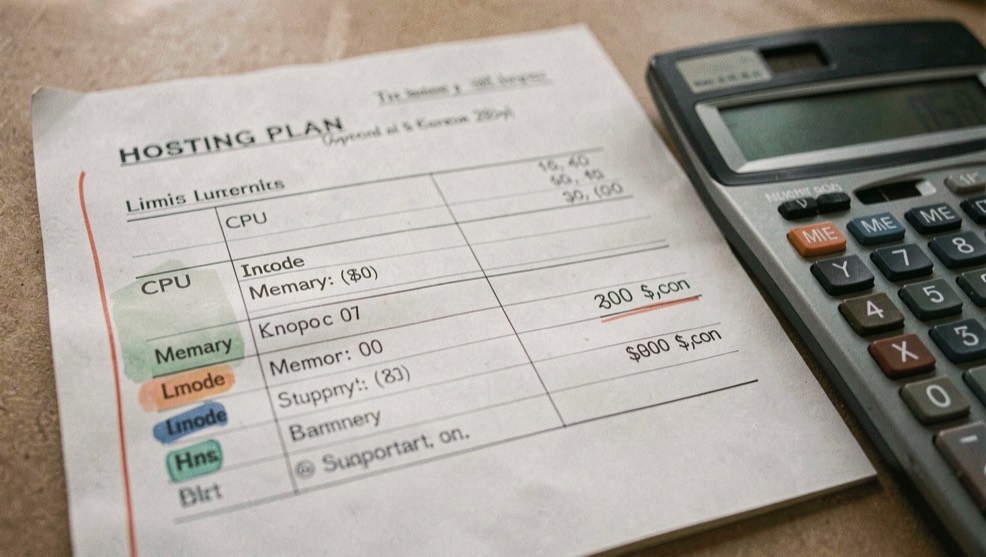
The hosting limits worth writing down before launch begins with a practical question: how can a reader inspect service limits and workload fit without confusing a provider promise with a field observation?
Method for this question
Extract limits into a workload sheet before choosing or renewing a plan. Record CPU or fair-use language, memory, entry processes, PHP workers, concurrent connections, inodes, storage, database size, cron frequency, backup retention, mail sending, bandwidth, support hours and restore fees. Mark whether each number is hard, burstable, shared, undisclosed or subject to suspension. Then describe the application’s peak pattern: launches, imports, image processing, traffic spikes and background jobs. A limit matters only in relation to a measurable workload and an available response.
What to record
- resource ceiling and burst language
- process, inode and database limits
- backup retention and restore fees
- mail sending and support scope
When a site hits a ceiling, collect the provider event, timestamp, resource graph, request or job involved and the account’s configured limits. Compare a quiet baseline with the failure window. A 503 may be process exhaustion, while a slow request may be database or external API work; an inode alert may have nothing to do with bandwidth. Ask support which metric triggered throttling and whether the event is recoverable, billable or permanent. Re-run the smallest safe test after remediation and save the evidence rather than relying on a verbal explanation.
Keep the observation, the interpretation and the recommendation in separate sentences.
A realistic failure pattern
An online catalog has plenty of disk space but reaches its inode limit because every image transformation creates several files and daily backups remain on the account. The owner first sees upload failures and assumes the CMS is broken. The limit sheet points to file count, retention and storage location. Moving backups off-host, pruning safe temporary files and changing image processing may solve the immediate issue; a larger plan is considered only after measuring the new peak. The same method applies to mail quotas and process limits.
Errors and boundaries
A plan table is not a benchmark, and an undisclosed fair-use clause is not the same as unlimited capacity. Do not compare CPU labels across providers as if they measured the same unit. Backup retention may exclude large databases, and support may restore only the hosting layer rather than application data. Limits change with plans and policy updates, so keep the source date and renewal version. A responsible recommendation includes headroom, monitoring, migration cost and operator time, not just the advertised storage number.
The limits inventory above covers what a host will meter and enforce, but the same habit of writing numbers down before launch shows up elsewhere. Air-to-air refueling planning works the same way: the offload is a hard figure agreed in advance, and tanker and receiver procedures set who does what once the mission starts. That page looks at how crews plan a refueling sortie, what the old planning software actually did, and why the discipline of an offload operation still matters. Different domain, same lesson: define the number, then hold to it.
What this does not prove
A plan table is not a benchmark. Record the source wording and test the workload that matters to your site.
The Domain Host USA desk uses the documented fact, field observation, provider statement and editorial recommendation labels so readers can see what kind of sentence they are reading.
This note connects to the Infrastructure Field Desk, where the sample method and dated observations remain visible. Continue through News & Price Watch for related decisions rather than treating one check as a complete review.